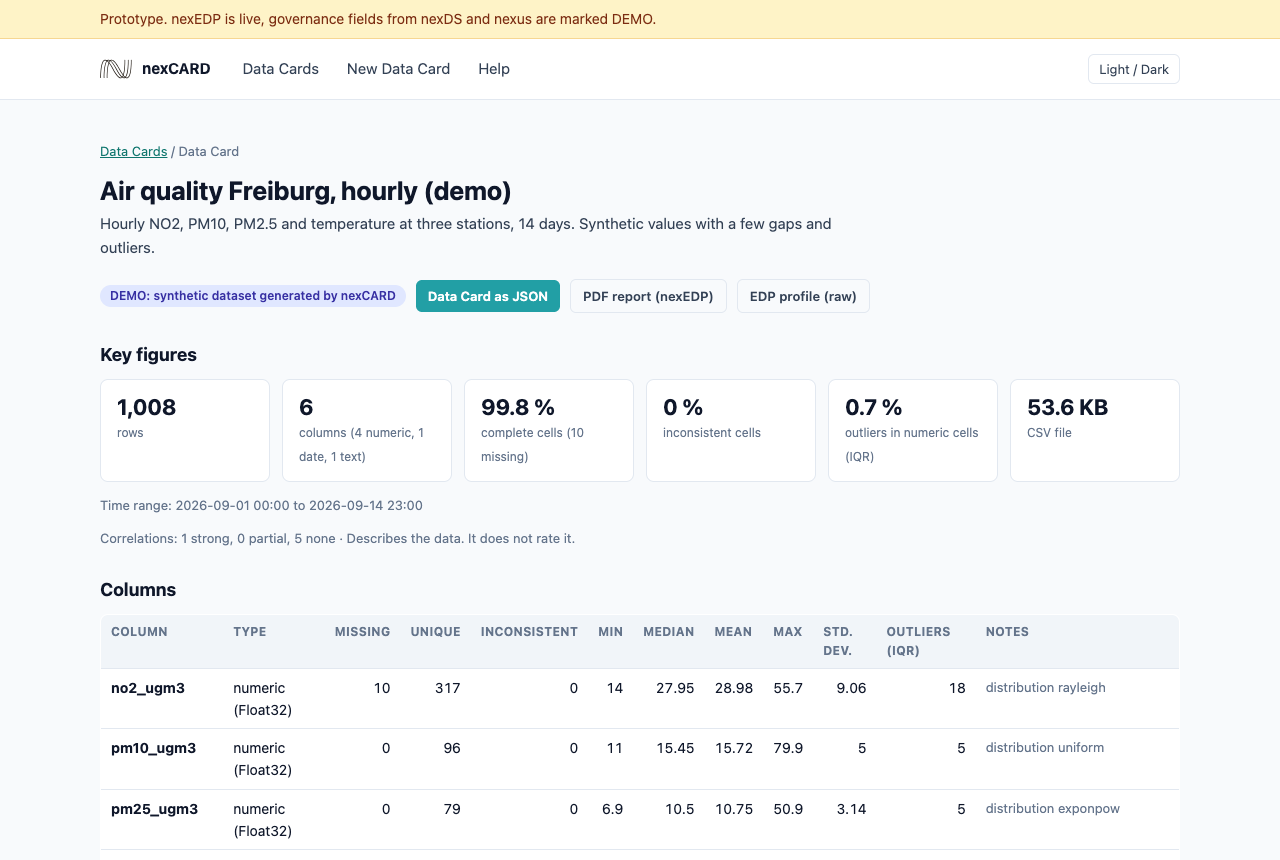
nexCARD makes Data Cards. A Data Card is the profile of one dataset: key figures, columns, quality and charts. It describes the data and does not rate it.
Data providers use it to check a dataset before they publish it. Data users see content and quality before a contract.
nexEDP, the profile engine of nexyo fabric, computes the profile. nexCARD adds the governance facts and shows everything as a page and as JSON.
Make a Data Card
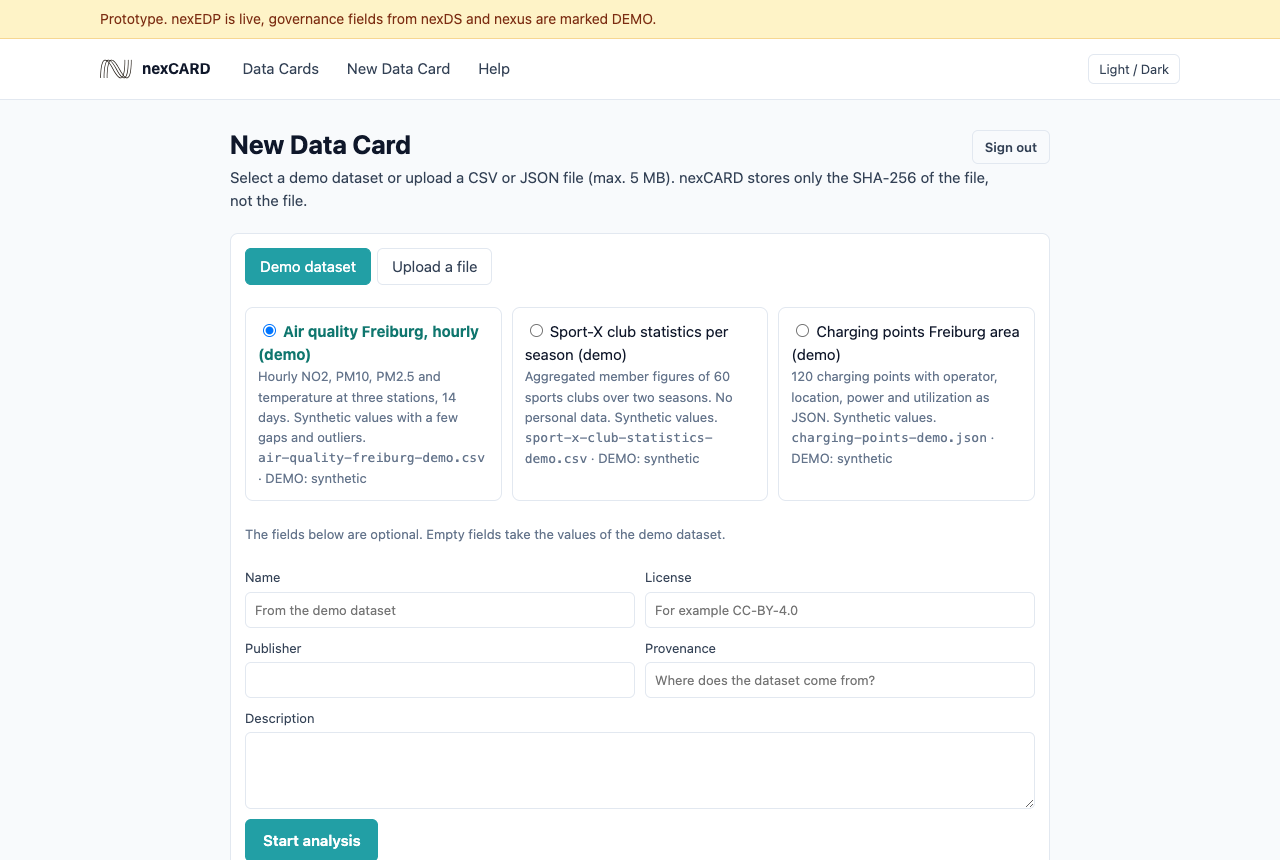
Open nexCARD and click "New Data Card".
Sign in with the password. You need the role card:manager. Everybody can read Data Cards.
Select "Demo dataset" and one of the three demo datasets. Or select "Upload a file" and a CSV or JSON file of max. 5 MB.
For your own file, enter name, license, publisher and provenance. The card shows these values as "uploader, not checked".
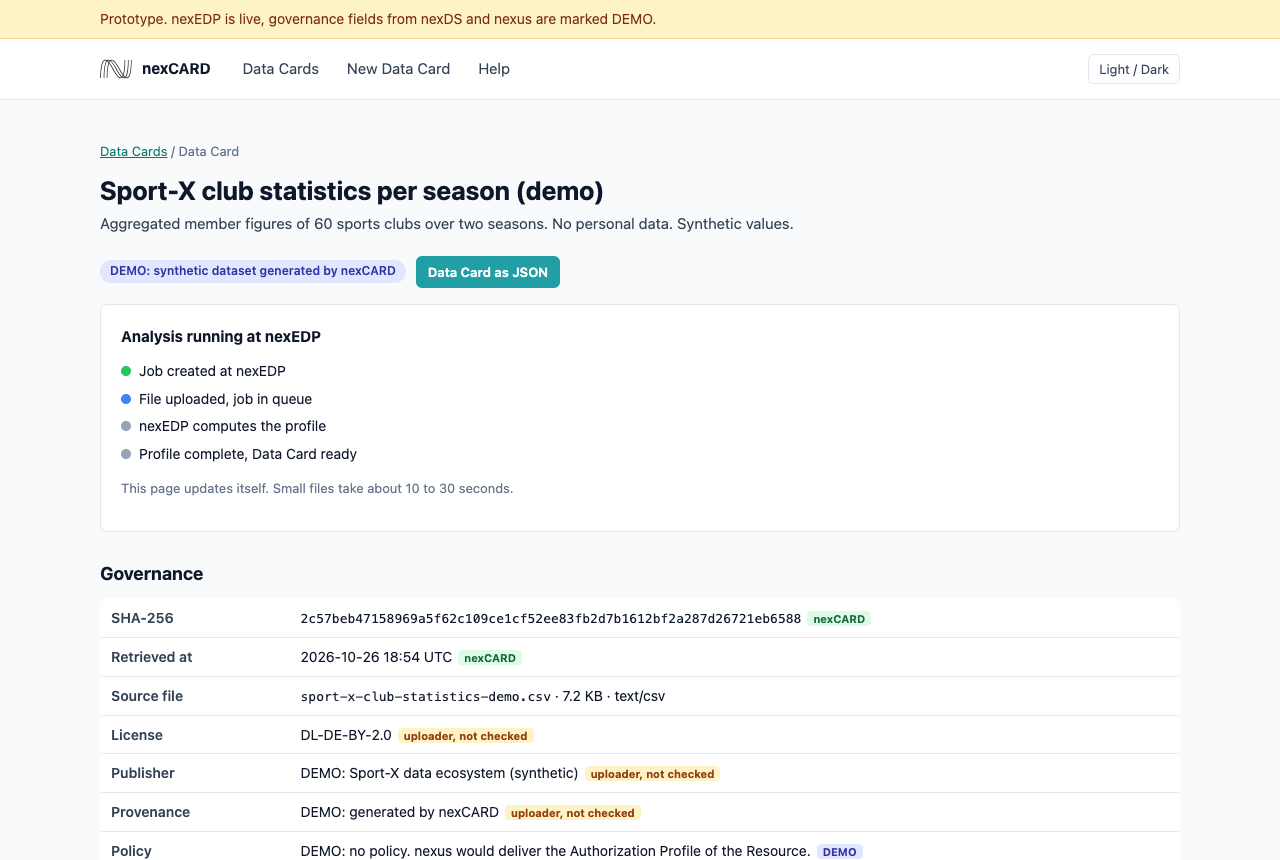
Click "Start analysis". The Data Card page opens and shows the progress at nexEDP.
Wait until all steps are green. Small files take 10 to 30 seconds. The page then loads again automatically.
Read the key figures, columns, charts and the governance block. Click "PDF report (nexEDP)" to open the report.
Click "Data Card as JSON" if a catalog or portal must read the card.
What the labels mean
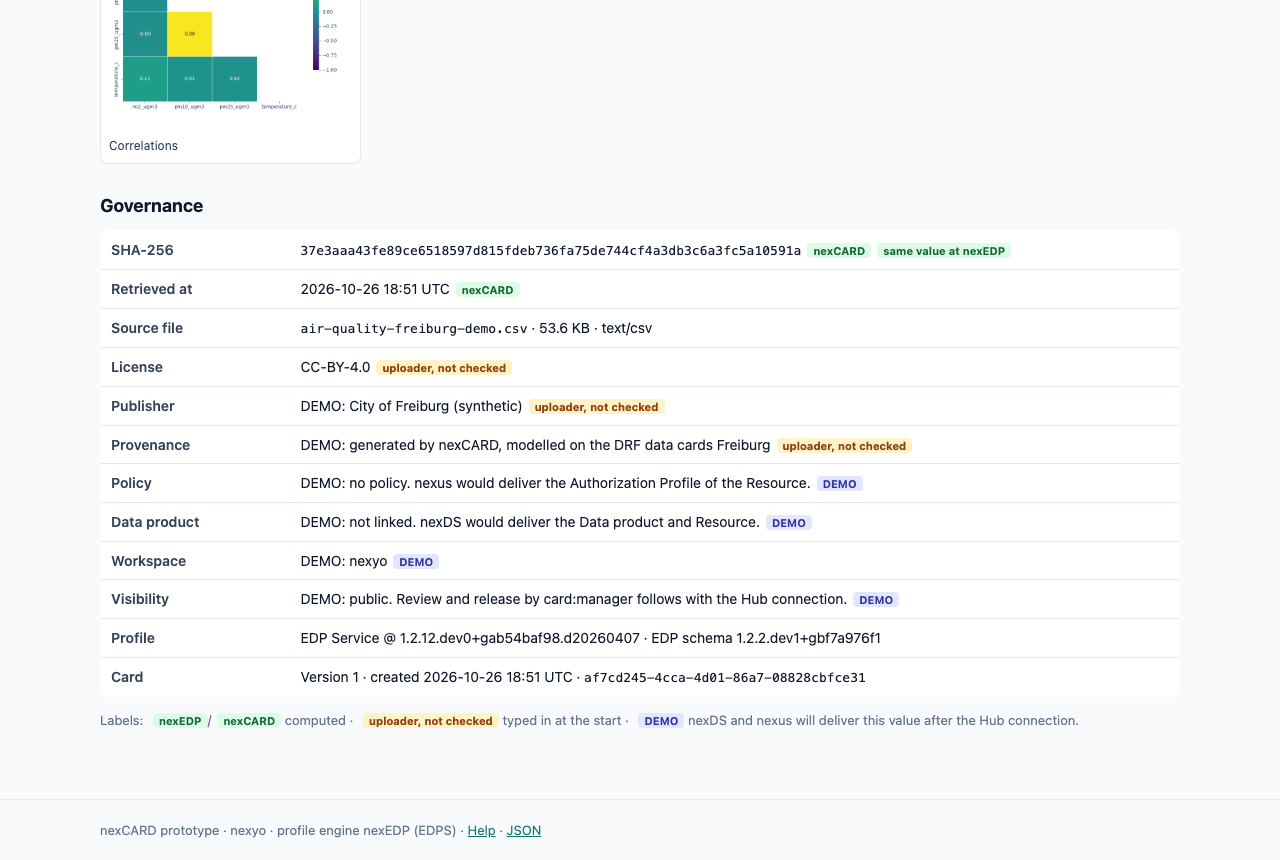
nexEDP or nexCARD: computed, so real.
uploader, not checked: typed in at the start. nexCARD does not check the value.
DEMO: nexDS and nexus will deliver this value (policy, data product, workspace, release). The prototype has no connection yet.
Typical errors
"Sign-in failed": the password is wrong. Enter it again.
"Only .csv and .json files": the prototype accepts only these formats. Save the file as CSV.
"The file is larger than 5 MB": make the file smaller or use a sample.
"analyses are running": max. three analyses run at the same time. Wait one minute.
"Analysis failed": nexEDP could not read the file. Check separator and header row, then click "Try again".
Screenshots
Step 3: select a demo dataset and start the analysis.Step 5: the Data Card shows the progress at nexEDP.Step 7: complete Data Card with key figures and columns.Step 7: governance block with labels for computed, typed-in and DEMO values.
 nexCARD